
Built for Pickleball
Run hassle-free open play sessions
Your pickleball club's open play, without the chaos. Every session managed live, seamlessly.
If you run open play, you know this feeling.
Paddle stack confusion
Who's actually next? Paddles get moved, the order gets disputed, and you end up with more awkward moments than awesome shots.
Staff losing track
One session is manageable. Two or three running at once? Without a system, something always slips through the cracks.
Player fairness is hard to guarantee
Without a transparent system, players may not be able to see if the rotation is fair. That can take the joy out of the session for some.
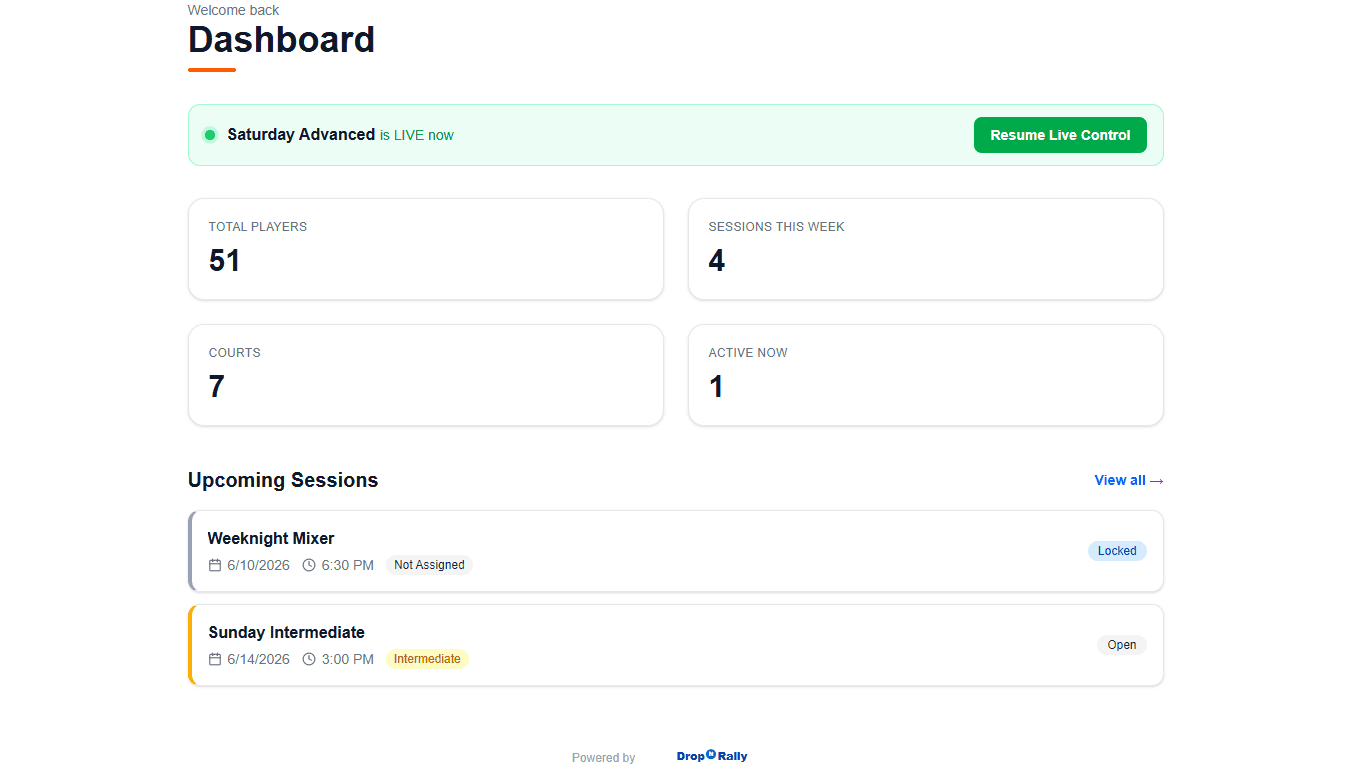
Meet DropNRally
DropNRally is built specifically for Pickleball clubs running open play. It replaces the paddle stack, the clipboard, and the guesswork with a live digital system. Use any device that allows your club to manage and direct players efficiently.
Everything you need to run a great session
Live Queue Management
A real-time queue your staff controls from any phone or tablet. Up Next is always obvious.
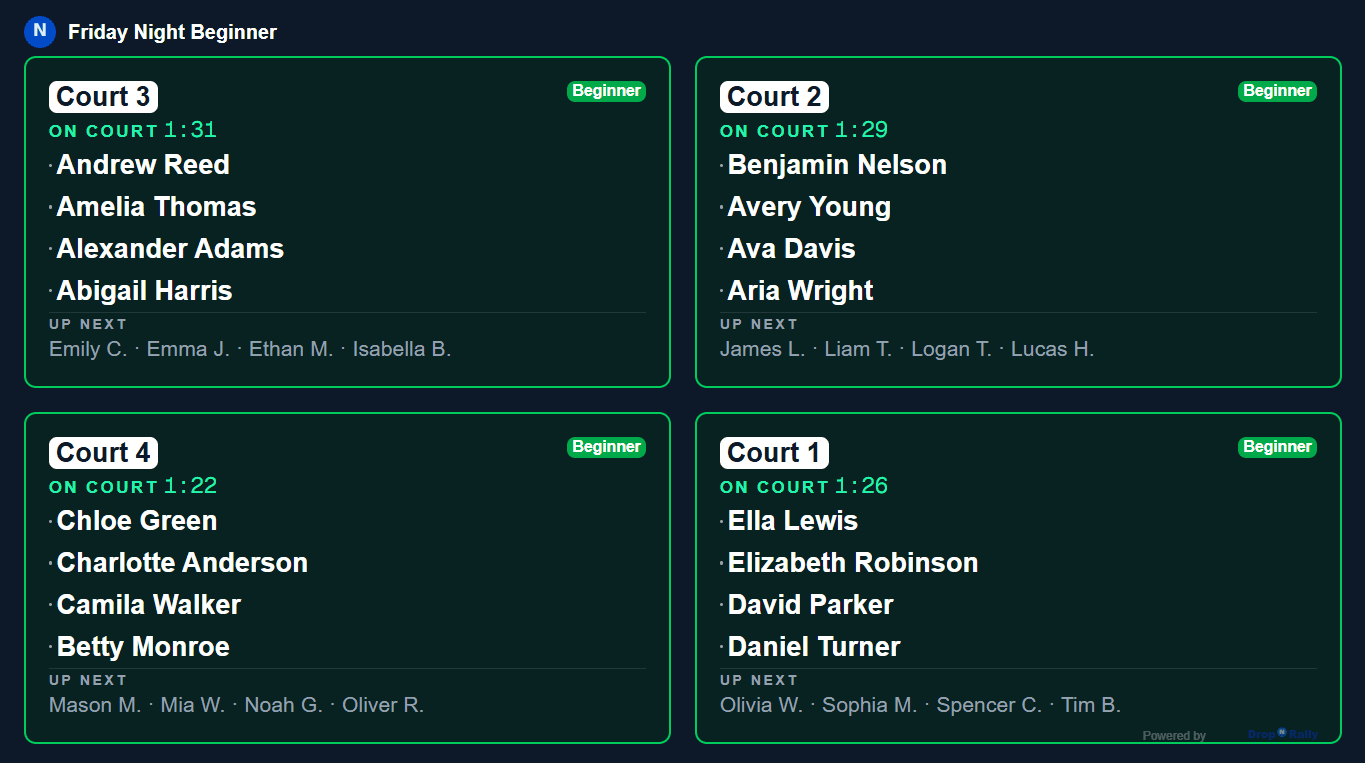
Real-Time Display
Show the live queue and current matches on any screen in the club, via a simple link players can see.
Multi-Session Support
Run beginners and advanced sessions side-by-side. Each session has its own queue, courts, and players.
No download needed. Works on any phone, tablet, or laptop
Install it on a phone, tablet, or laptop. No app store required. Designed for the courtside.
DUPR ready
Record match results from your sessions and export to DUPR.
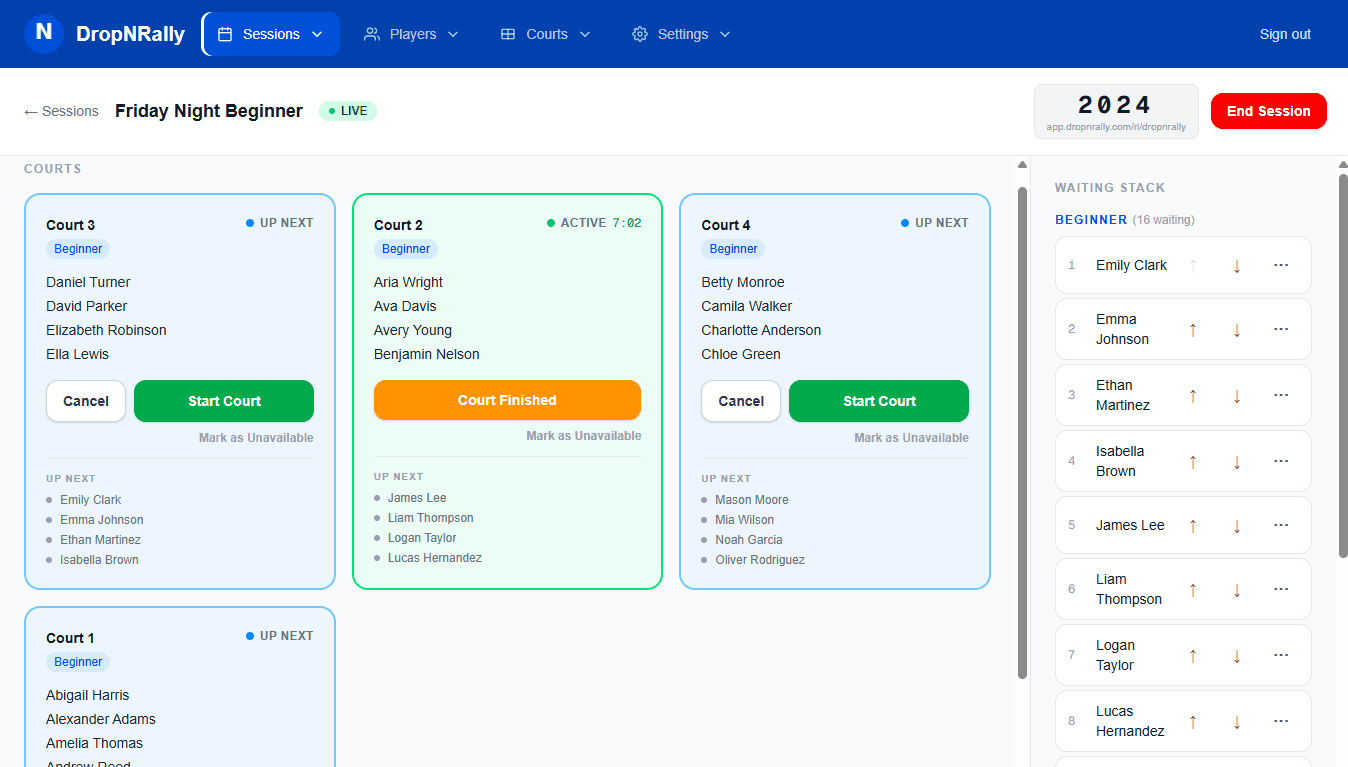
Live Queue Management
Your staff's command center
Manage every court and the waiting queue live, from any phone or tablet.
Real-Time Display
What your players see
A live court display on multiple screens in your club, updated in real time.
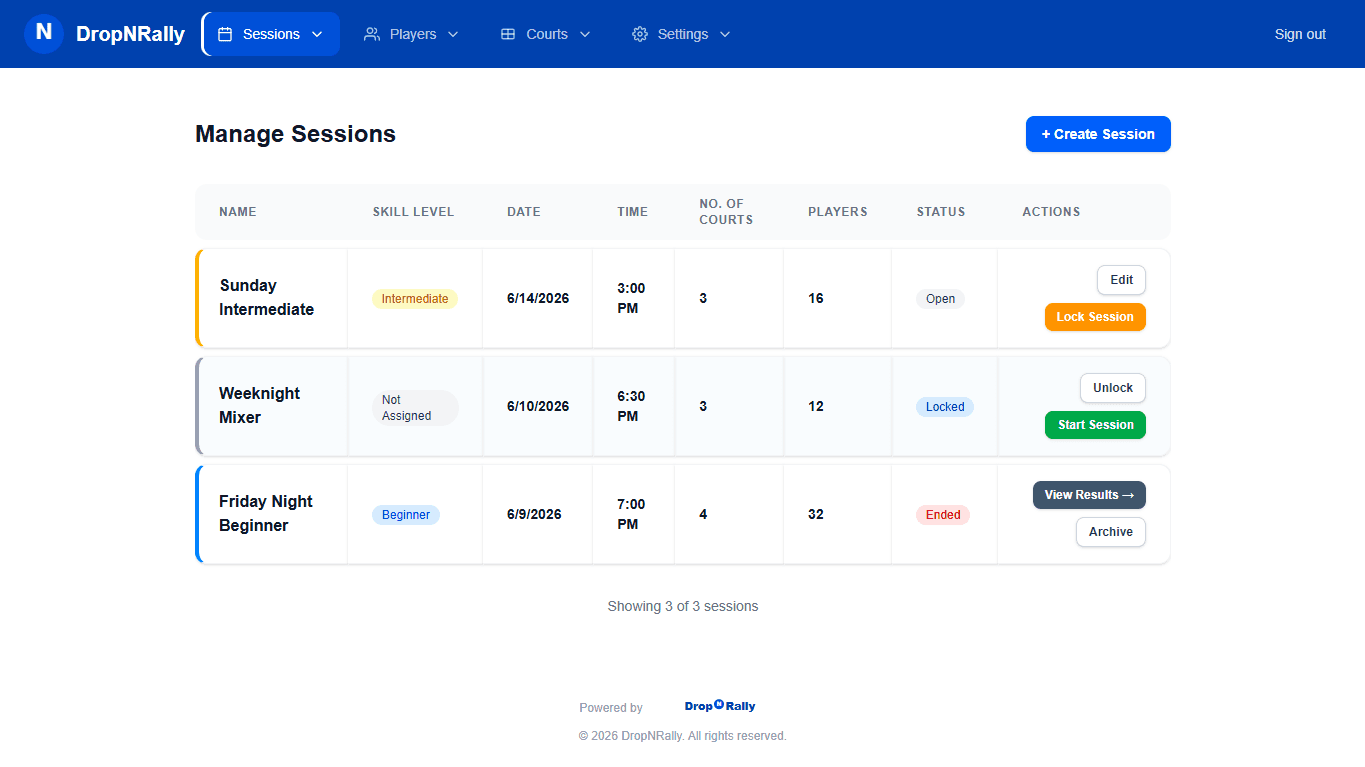
Multi-Session Support
Run multiple sessions at once
Players at various levels can be assigned to separate courts and queues.
DUPR rated sessions
Your sessions export to DUPR in a compatible format, so your members' open play counts toward their ratings without re-entering matches into DUPR.
See How It Works
Book a 20 minute demo for a walk through of the product in action, so you can see how it fits into your club's setup.
Or get in touch directly: Imran Ali · imran.ali@dropnrally.com